


Download No Trace – Secure File Manager for Windows, Free & Private
No-Trace is a powerful, privacy-focused file manager for Windows that helps users manage files without leaving any digital traces. Developed by MicroSmarts LLC, this full-featured utility ensures complete data security and privacy by preventing any remnants from deleted or moved files. Whether you're organizing sensitive documents, cleaning up your system, or transferring files across devices, No-Trace delivers a seamless, secure experience.
With a clean, intuitive interface and advanced file handling tools, it’s ideal for both casual users and professionals who value digital privacy. The software is completely free to download and use, making it one of the most accessible secure file management tools on the market. Its robust features include secure deletion, file shredding, and real-time tracking, all designed to keep your data safe and your system clean.
Key Features of No-Trace File Manager
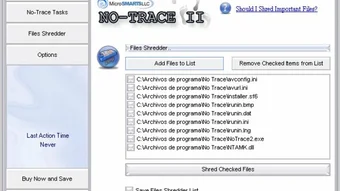
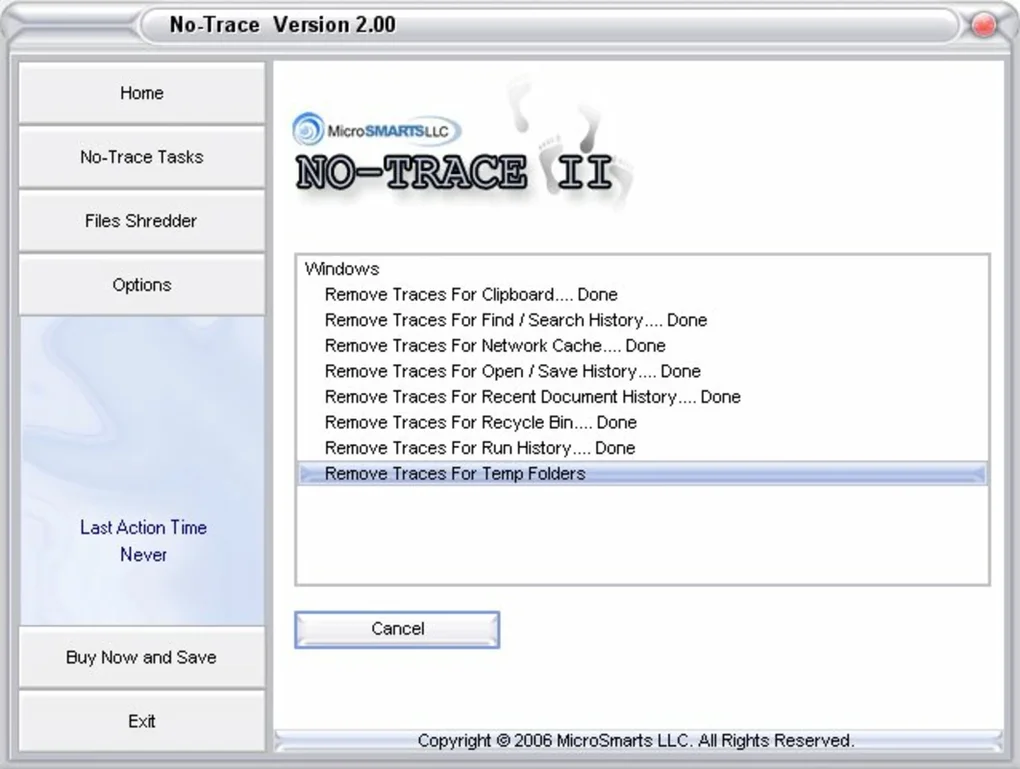
No-Trace stands out in the crowded field of file management tools thanks to its comprehensive and privacy-first feature set. One of the most compelling features is its secure file deletion system, which goes beyond standard Windows deletion by overwriting file data multiple times using industry-standard algorithms like DoD 5220.22-M and Gutmann. This ensures that even advanced data recovery tools cannot retrieve deleted files, making it ideal for users handling sensitive or confidential information. Another standout feature is file shredding, which allows users to permanently erase files with a single click, leaving no trace behind. This is particularly useful when disposing of old hard drives or transferring personal devices.
Additionally, No-Trace offers real-time file tracking, which logs every file operation—such as copy, move, or delete—providing a detailed audit trail. This is invaluable for IT administrators or users who need to maintain compliance with data protection regulations. The batch processing functionality enables users to apply actions to multiple files at once, saving time during large-scale file organization tasks.
The customizable interface lets users tailor the layout, view modes, and shortcuts to match their workflow, enhancing productivity. No-Trace also supports drag-and-drop functionality and integrates smoothly with Windows Explorer, allowing for a familiar user experience. For those concerned about performance, the software is lightweight and runs efficiently in the background without slowing down your system.
Other notable features include secure file transfer between local drives, network locations, and external devices, file preview for common formats like PDF, DOCX, and images, and quick search with filters for file type, size, and date. The tool also includes automatic update checks, ensuring users always have access to the latest security patches and improvements. With no ads, no bundled software, and no data collection, No-Trace maintains a strong commitment to user privacy—a rare quality in today’s software landscape.
How to Install and Use No-Trace on Windows
Downloading and installing No-Trace is a straightforward process that takes just a few minutes. Begin by visiting the official website of MicroSmarts LLC and locating the download section. Choose the correct version for your system—either 32-bit or 64-bit Windows—then click the download button.
The installer is a small, self-contained executable file (under 10MB), ensuring fast downloads even on slow connections. Once downloaded, run the installer and follow the on-screen prompts. The setup wizard will guide you through the installation steps, including selecting the installation directory and creating desktop shortcuts.
After installation, launch No-Trace from the Start menu or desktop icon. The main interface opens with a clean, modern layout featuring a dual-pane view, similar to classic file managers. On the left, you’ll find your drives and folders, while the right panel displays the contents of the selected directory.
To start managing files, simply browse, select, and perform actions like copy, move, or delete. For secure deletion, right-click a file and choose “Shred” instead of “Delete.” This triggers the overwrite process, ensuring the file cannot be recovered. You can also use the “Secure Delete” option from the toolbar for quick access.
For advanced users, the Settings menu allows customization of deletion algorithms, logging preferences, and interface behavior. The History tab provides a log of all file operations, which can be exported or reviewed for compliance. To transfer files securely, use the “Copy to” or “Move to” functions with network paths or external drives.
No-Trace automatically applies secure deletion protocols when files are moved or copied to removable media. The software also supports keyboard shortcuts for faster navigation—such as Ctrl+C for copy and Ctrl+X for cut—making it efficient for power users. Regular updates are available through the built-in update checker, ensuring long-term security and compatibility with new Windows versions.
Compatibility & System Requirements
No-Trace is designed specifically for Windows operating systems and supports a wide range of versions, including Windows 10, Windows 11, Windows 8.1, and Windows 7 (SP1). It is compatible with both 32-bit and 64-bit architectures, ensuring broad accessibility across older and newer machines. The software is lightweight, requiring only 50MB of free disk space and 256MB of RAM to run smoothly. This low footprint makes it suitable for older PCs or systems with limited resources, without sacrificing performance.
As a native Windows application, No-Trace integrates seamlessly with the operating system. It works with all standard file types, including documents, images, videos, audio files, archives, and executables. The tool supports NTFS, FAT32, exFAT, and network shares, making it versatile for both local and remote file management. No-Trace does not require administrative privileges to run, though some advanced features—like secure deletion of system files—may need elevated rights. The software is also compatible with external storage devices such as USB drives, SD cards, and external hard drives, allowing secure file handling across multiple platforms.
It’s important to note that No-Trace is not available for Mac, iOS, or Android. Users on macOS or mobile devices will need to explore alternative tools. However, for Windows users seeking a dedicated, secure file manager, No-Trace is an excellent choice. The development team regularly tests the software on various hardware configurations and Windows updates, ensuring stability and compatibility. No-Trace does not interfere with Windows Defender or third-party antivirus software, and it runs in the background without consuming excessive CPU or memory.
Pros and Cons of No-Trace File Manager
- Pros:
- Secure file deletion with multiple overwrite algorithms
- Real-time audit trail for all file operations
- Lightweight and fast performance
- Free to download and use with no ads or bloatware
- Intuitive interface with dual-pane view and drag-and-drop support
- Batch processing and quick search capabilities
- Automatic update checks for security patches
- Strong privacy policy with no data collection
- Cons:
- Not available for Mac, iOS, or Android
- Limited advanced automation features compared to enterprise tools
- No built-in cloud integration or sync functionality
- Minimal customization for advanced users
- Documentation is basic and lacks video tutorials
Frequently Asked Questions (FAQ)
Is No-Trace completely free to use?
Yes, No-Trace is 100% free to download and use. There are no trial periods, hidden fees, or premium features that require payment. The software is supported by the developer’s commitment to privacy and user empowerment.
Can I recover files after using the Shred function?
No, once a file is shredded using No-Trace, it cannot be recovered. The tool overwrites the file data multiple times using secure algorithms, making recovery impossible even with professional data recovery tools.
Does No-Trace work with external hard drives and USBs?
Yes, No-Trace fully supports external storage devices such as USB drives, SD cards, and external hard drives. You can securely delete, move, or copy files to these devices with full privacy protection.
How often does No-Trace check for updates?
No-Trace automatically checks for updates every time you launch the application. You can also manually trigger an update check from the Help menu. Updates are delivered quickly and include security improvements and bug fixes.
Is No-Trace safe to use on a business or corporate system?
Yes, No-Trace is safe and suitable for business environments. Its secure deletion, audit logging, and privacy-first design make it ideal for compliance with data protection standards like GDPR and HIPAA. It does not collect user data, ensuring confidentiality.
Final Verdict: Why You Should Download No-Trace Today
No-Trace is more than just a file manager—it’s a privacy shield for your digital life. In an era where data breaches and digital footprints are growing concerns, having a tool that ensures files are truly gone is essential. With its secure deletion, real-time tracking, and user-friendly design, No-Trace delivers on its promise of complete privacy. It’s especially valuable for freelancers, remote workers, IT professionals, and anyone handling sensitive information.
While it lacks cross-platform support and advanced automation, its core functionality is unmatched for Windows users. The fact that it’s completely free, lightweight, and ad-free makes it a standout choice in the utility software space. If you're looking for a reliable, secure, and efficient way to manage your files without leaving traces, No-Trace is the tool you need.
Download No-Trace today and take full control of your digital privacy—secure, fast, and free.







